📌 TL;DR — The 30-Second Summary
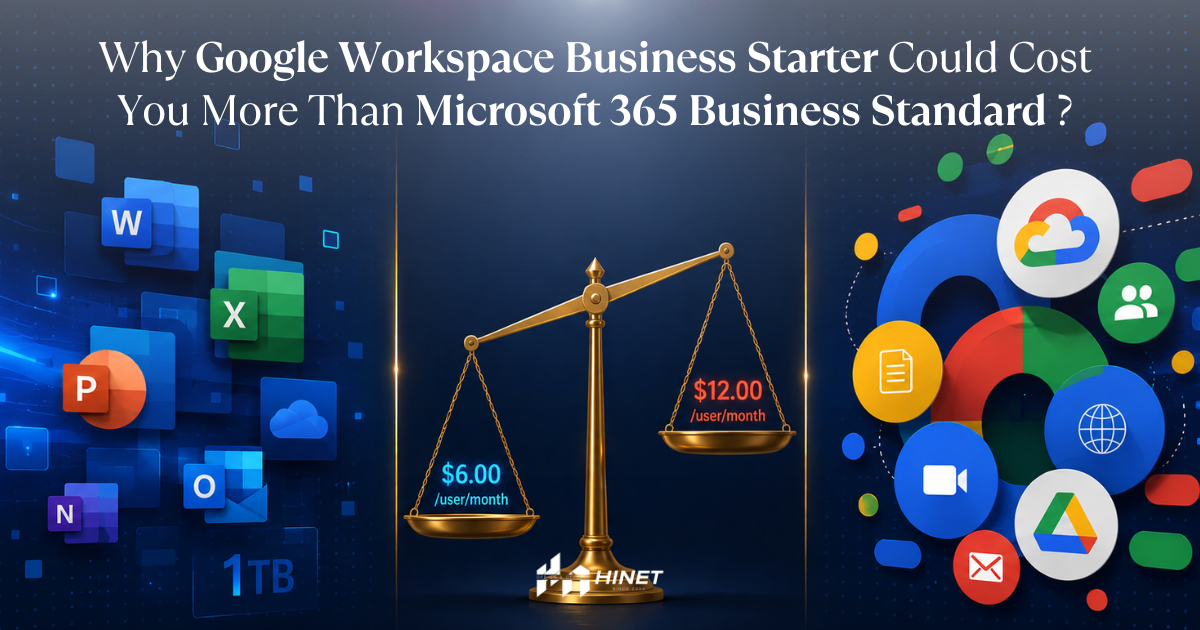
- Google Workspace Business Starter (THB 240 – 280/user/month) looks cheaper than Microsoft 365 Business Standard (~THB 325–400/user/month) — but this is just the list price, not the true cost of ownership.
- When you add 5 hidden costs — Office Desktop, storage upgrades, mailbox limits, Zoom/video conferencing, and license management — Google Workspace Business Starter can cost THB 70,000–180,000 more over 3 years for a 20-person company.
- Microsoft 365 Business Standard bundles 50GB mailbox (upgrading to 100GB mid-2026), 1TB OneDrive, Word/Excel/PowerPoint Desktop, Teams, and SharePoint in a single license.
- For Thai SMEs: if your team uses Word/Excel/PowerPoint regularly, sends Office-formatted files to clients, or needs a large mailbox, Microsoft 365 Business Standard offers better long-term value.
📋 What’s in This Article
- Why this matters for Thai SMEs right now
- What is Microsoft 365 Business Standard?
- What is Google Workspace Business Starter?
- Microsoft 365 vs Google Workspace — Side-by-side comparison
- 5 Hidden costs that make Google Starter “more expensive than it looks”
- 3-year TCO calculation for a 20-person company — real numbers
- Who should choose what — Decision framework
- Case study: 23-person trading firm in Sathorn migrating to Microsoft 365
- How to migrate from Google Workspace to Microsoft 365
- Frequently Asked Questions (FAQ)
1. Why This Matters for Thai SMEs Right Now
2026 marks a turning point for the productivity suite market in Thailand. Three forces are converging:
- 100% of Thai SMEs have moved operations online, outpacing the global average of 95%, and 77% have adopted new IT solutions — far ahead of the 39% global average (Market Research Thailand, 2025).
- Thailand’s digital transformation market is growing from $9.21B (2024) → $19.87B (2033) — SMEs are the fastest-growing buyer segment (Longevity / Vocal Media, 2025).
- Microsoft announced a global price increase effective July 1, 2026 — Business Standard goes from $12.50 to $14/user/month (THB 400 → 448/user/month), but adds a mailbox upgrade to 100GB and embeds Copilot AI across all apps.
💡 Insight: This is the “golden window” for decision-making. Locking in pricing before July 1, 2026 saves ~12% per user in year one.
2. What is Microsoft 365 Business Standard?
Microsoft 365 Business Standard is Microsoft’s productivity and email-hosting bundle for businesses, designed for small-to-medium organizations (up to 300 users).
What you get per license:
- ✅ Email Hosting via Exchange Online — 50GB mailbox/user (upgrading to 100GB mid-2026)
- ✅ Office Desktop Apps — Word, Excel, PowerPoint, Outlook, OneNote on up to 5 devices per user
- ✅ Office Web Apps — browser-based, no install needed
- ✅ OneDrive for Business — 1TB cloud storage/user
- ✅ Microsoft Teams — Video conference, chat, channels (replaces Zoom + Line Group)
- ✅ SharePoint — Intranet + central document management
- ✅ Microsoft Loop, Clipchamp, Designer — modern collaboration and content tools
- ✅ Custom Domain Email — e.g.,
name@yourcompany.co.th
Pricing (2026):
| Plan | List Price (USD) | THB Equivalent | Period |
|---|---|---|---|
| Microsoft 365 Business Standard | $12.50/user/mo | ~THB 400/user/mo | Before July 1, 2026 |
| Microsoft 365 Business Standard | $14/user/mo | ~THB 450/user/mo | After July 1, 2026 |
| CSP via Hinet (real quote) | — | THB 3,900 – 4,200/user/year (~325/mo) | Current |
🎯 Key insight: Buying through a local Cloud Solution Provider (CSP) like Hinet typically beats Microsoft’s direct list price, plus you get Thai tax invoices and Thai-language support.
3. What is Google Workspace Business Starter?
Google Workspace Business Starter is Google’s entry-level productivity bundle for businesses just getting started — focused on low price and web-first usage.
What you get per license:
- ✅ Custom Domain Email via Gmail — e.g.,
name@yourcompany.co.th - ✅ Google Drive — 30GB pooled storage (shared across email + files + photos)
- ✅ Google Docs / Sheets / Slides — web version only (no Desktop app)
- ✅ Google Meet — Video conference up to 100 people, no recording
- ✅ Google Calendar, Chat, Forms
- ✅ Gemini AI in Gmail (recently added to Starter in 2025–2026)
Pricing (2026):
| Plan | List Price (USD) | THB Equivalent | Notes |
|---|---|---|---|
| Google Workspace Business Starter | $7/user/mo | ~THB 225–290/user/mo | Standard price |
| First-year promo (new accounts < 20 users) | — | ~THB 1,245/user/year | First year only, new customers only |
⚠️ The limit most companies overlook: Business Starter gives you 30GB shared storage — meaning your mailbox + Drive files compete for the same pool. When mailbox grows, Drive shrinks, and vice versa.
4. Microsoft 365 vs Google Workspace — Side-by-Side Comparison
| Feature | Microsoft 365 Business Standard | Google Workspace Business Starter |
|---|---|---|
| List Price (per user/month) | ~THB 400 (raising to 448 in July 2026) | ~THB 225–290 |
| CSP price via Hinet (per user/year) | THB 3,900 – 4,200 | — |
| Email Mailbox | 50GB (upgrading to 100GB in 2026) | 30GB (shared with Drive) |
| Cloud Storage | OneDrive 1TB + SharePoint 1TB + 10GB/user | Drive 30GB (shared with email) |
| Office Desktop Apps | ✅ Word, Excel, PowerPoint, Outlook | ❌ Not included (Web only) |
| Video Conferencing | Microsoft Teams (channels + recording) | Google Meet (100 ppl, no recording) |
| Document Collaboration | Word, Excel, PowerPoint (Web + Desktop) | Docs, Sheets, Slides (Web only) |
| Intranet / Team Site | ✅ SharePoint | ❌ Not included |
| AI Assistant | Copilot (add-on $30/mo) — basic AI in Editor | Gemini in Gmail (free at Starter tier) |
| Security | Microsoft Defender (basic) + Entra ID | Standard Google Security |
| Multiple custom domains | ✅ Yes | ✅ Yes |
| Mobile Apps | Full: Outlook, Word, Excel, PowerPoint, Teams | Gmail, Docs, Meet |
| Shared Mailbox | ✅ Free (no additional license) | ✅ Free (Groups) |
5. 5 Hidden Costs That Make Google Starter “More Expensive Than It Looks”
5.1 Hidden Cost #1: Office Desktop apps you’ll need to buy separately
Google Workspace doesn’t include Word, Excel, or PowerPoint Desktop. Many Thai businesses still need to:
- Send
.xlsx,.docx,.pptxfiles to clients and partners - Use complex Excel formulas (Pivot Tables, VBA, Macros) that Google Sheets can’t handle
- Open legacy files that get mangled in Google Docs
The workaround = buy Microsoft Office separately:
- Microsoft 365 Personal: THB 2,290/year/user (Power Buy Thailand)
- Office Home & Business 2024 (one-time): ~THB 5,200/license
Additional cost: ~THB 2,290/user/year
5.2 Hidden Cost #2: 30GB storage fills up fast — and upgrades aren’t cheap
Google Workspace Business Starter gives you 30GB shared across email and files. In an era where 5–10MB email attachments are routine, the average user fills their mailbox within 18–24 months.
Options when storage fills up:
- Upgrade to Business Standard — adds 2TB/user but jumps to ~$14/user/mo (~THB 450)
- Delete old emails/files — wastes time + creates compliance risk
Additional cost: If you need to upgrade = ~THB 2,160/user/year (delta between Starter and Standard)
5.3 Hidden Cost #3: Video conferencing limits push you to Zoom
Google Meet on the Starter tier:
- ✅ Up to 100 participants
- ❌ No recording
- ❌ No noise cancellation
- ❌ No polls, hand raise, or breakout rooms
The result: companies end up paying for Zoom Pro separately at ~$14.99/user/month (~THB 480), or live with the 40-minute free limit.
Meanwhile, Microsoft Teams (included in M365 Business Standard) provides:
- 300 participants, full recording, transcription, breakout rooms, persistent channels
Additional cost: If you need Zoom Pro = ~THB 5,760/user/year
5.4 Hidden Cost #4: No SharePoint or central intranet
Google Workspace doesn’t include an intranet or central team site. Companies wanting a “central document hub” need to set up Shared Drives — which require upgrading to Business Standard or higher.
SharePoint in Microsoft 365 Business Standard comes with:
- Document libraries with version control
- Folder/file-level permission management
- Workflow automation (Power Automate)
- Hub sites linking departments together
Equivalent cost: Standalone DMS or intranet = ~THB 10,000–30,000/year (small businesses)
5.5 Hidden Cost #5: First-year promo vs ongoing pricing
Google Workspace’s Thai promo (THB 1,245/user/year) only applies to the first year and only to new customers who haven’t used it before (Thailand Email Hosting, 2024).
After year one, prices return to ~THB 2,500–3,300/user/year — a ~100% jump from year one.
In contrast, Microsoft 365 Business Standard via CSP keeps consistent pricing year-over-year — predictable, no surprises.
Hidden cost: From year two onward, Google Workspace costs ~THB 1,500/user/year more than year one.
6. 3-Year TCO Calculation for a 20-Person Company — Real Numbers
Assumption: A typical Thai SME with 20 employees using email and Office daily, working hybrid (office + remote), regularly sending Excel/Word files to clients.
📊 Scenario A: Google Workspace Business Starter + necessities
| Item | Calculation | 3-Year Total (THB) |
|---|---|---|
| Google Workspace Starter (Year 1 promo) | 20 × 1,245 | 24,900 |
| Google Workspace Starter (Years 2-3) | 20 × 2,880 × 2 | 115,200 |
| Microsoft 365 Personal (for Office) | 20 × 2,290 × 3 | 137,400 |
| Zoom Pro (for recordable video conf, half team) | 10 × 5,760 × 3 | 172,800 |
| TOTAL | 450,300 THB |
📊 Scenario B: Microsoft 365 Business Standard via Hinet (CSP)
| Item | Calculation | 3-Year Total (THB) |
|---|---|---|
| M365 Business Standard CSP | 20 × 3,900 × 3 | 234,000 |
| Office Desktop | Included | 0 |
| 1TB Storage per user | Included | 0 |
| Teams (replaces Zoom) | Included | 0 |
| TOTAL | 234,000 THB |
💰 Bottom Line
Microsoft 365 Business Standard via Hinet saves ~THB 216,300 over 3 years for a 20-person company.
Even excluding Zoom Pro (assuming no recording needed), Microsoft 365 still saves ~THB 43,500 over 3 years — and you get 50GB → 100GB mailbox, 1TB OneDrive, and Teams for free.
7. Who Should Choose What? — Decision Framework
✅ Google Workspace Business Starter is the right fit for:
- Startups under 10 people with tight budgets where everyone works in the browser
- Teams already deep in the Google ecosystem (Google Ads, Analytics, YouTube)
- Companies that don’t send complex Word/Excel files to clients
- Teams that don’t need to record meetings or use video conferences > 60 minutes
✅ Microsoft 365 Business Standard is the right fit for:
- SMEs of 10–300 people wanting a complete bundled system
- Companies regularly sending Excel/Word files to clients or using advanced Excel (Pivot, Macros)
- Teams needing a large mailbox (>30GB) or multi-year email archive
- Hybrid work teams wanting Teams to replace Zoom/Line Group
- Businesses wanting an intranet / central SharePoint for shared documents
- Companies that prefer “predictable pricing” without year-over-year surprises
💡 Hinet’s recommendation: Based on managing migrations for 50+ Thai SMEs — 70% of companies with 15+ employees who start on Google Starter migrate to Microsoft within 18–24 months due to mailbox limits and the need for Office Desktop.
8. Case Study: 23-Person Trading Firm in Sathorn Migrates to Microsoft 365 (May 2026)
Context: An industrial-goods trading firm in the Sathorn–Thung Maha Mek area, ~23 employees, had used Google Workspace Business Starter for 3 years before hitting walls:
- 30GB mailbox full for 12 employees — couldn’t send attachments
- Pivot tables in Google Sheets slow when data exceeded 50,000 rows
- Clients sent complex Excel files that broke layout when opened in Google Sheets
- No central document system — Shared Drives became a permission mess
Decision: Move all 23 users to Microsoft 365 Business Standard
3 reasons they chose Microsoft:
- 50GB mailbox + 1TB OneDrive per user — storage problem solved
- Excel Desktop with Macro support — Sales team can calculate pricing/commission accurately
- Teams + SharePoint — meetings, chat, and document hub in one system
Hinet’s execution timeline:
| Week | Activity |
|---|---|
| 1 | Pre-migration audit + procure 23 CSP licenses |
| 2 | Create tenant, verify domain, create users + groups |
| 2 | Email backup (Google → PST via Outlook IMAP) |
| 3 | DNS cutover (MX, SPF, DKIM, DMARC, Autodiscover) |
| 3–4 | Remote setup of Outlook, Mobile, PST import per user |
| 4 | Verify send/receive + revoke Google Workspace |
Total migration time: 4 weeks — zero downtime
📌 Quote from the client’s IT Manager (as relayed to Hinet’s team): “I thought migrating email would throw the whole company into chaos. But Hinet handled it so smoothly that staff barely noticed — they opened Outlook Monday morning, all old emails were there.”
9. How to Migrate from Google Workspace to Microsoft 365
For SMEs considering a switch, here’s the migration checklist Hinet uses with every client:
Phase 0 — Pre-Migration
- Compile complete user list
- Audit current hosting / DNS provider
- Set up secure shared folder for PST backups
Phase 1 — M365 Setup
- Procure Microsoft 365 Business Standard CSP licenses
- Create tenant ID + admin account
- Add custom domain + verify
Phase 2 — Email Backup
- Back up email from Google via Google Vault or IMAP → PST
- Store PST in secure shared location
Phase 3 — DNS Cutover
- Update MX, SPF, DKIM, DMARC, Autodiscover records
- Verify propagation with MXToolbox
Phase 4 — User Go-Live
- Set up Outlook Desktop + Mobile for every user
- Import PST + test send/receive
- Revoke Google Workspace
💼 Hinet offers free consultation + full migration management — from pre-audit to go-live, with no impact on daily operations.
📞 Ready to Switch Your Company’s Email System?
Hinet Computer System provides license comparison, sizing assessment, and end-to-end migration from Google Workspace to Microsoft 365.
- ✅ Cloud Solution Provider (CSP) — better-than-list pricing + Thai tax invoices
- ✅ Full-phase migration — zero downtime
- ✅ Thai-speaking support team — 02-235-7745-9
Free consultation, no obligation: 📞 Call: 02-235-7745-9 📧 Email: service@hinet.co.th 🌐 Website: hinetcomputer.com
10. Frequently Asked Questions (FAQ)
❓ How much does Microsoft 365 Business Standard cost in Thailand?
Microsoft’s list price is ~$12.50/user/month (~THB 400), rising to $14 (~THB 448) from July 1, 2026. Buying through a local CSP partner like Hinet puts you at THB 3,900/user/year with Thai tax invoices included.
❓ What size of company is Google Workspace Business Starter best for?
Best for companies under 10 people primarily working in browsers, who don’t need to send complex Office-format files to clients and don’t need to record video meetings. Companies above 15 people or those needing Excel/Word Desktop should consider Microsoft 365 Business Standard.
❓ How long does the 30GB mailbox in Google Starter last?
Based on Hinet’s client data, average users fill the 30GB mailbox within 18–24 months if they regularly handle 5–10MB email attachments. Microsoft 365 Business Standard provides 50GB (rising to 100GB mid-2026) separately from 1TB OneDrive, giving much longer runway.
❓ How long does it take to migrate from Google Workspace to Microsoft 365?
For 10–30 person companies, Hinet typically completes migration in 3–4 weeks — from pre-migration audit through revoking Google Workspace — with zero downtime. Employees keep working normally throughout.
❓ Will old emails and files from Google be lost after migration?
No. Hinet backs up all emails as .pst files before DNS cutover, then imports them into the new Outlook setup so employees retain access to historical email. Google Drive files migrate to OneDrive preserving the original folder structure.
❓ Does Microsoft 365 Business Standard include AI Copilot?
Not directly. Copilot AI is a separate add-on at ~$30/user/month (~THB 960). However, Business Standard includes Microsoft Editor and basic AI features within Office apps. Google Workspace Starter includes Gemini AI in Gmail for free — that’s the area where Google wins at the entry tier.
❓ Can Microsoft 365 be used offline?
Yes — this is a major difference from Google Workspace. Office Desktop apps (Word, Excel, PowerPoint, Outlook) work offline and sync when reconnected. Google Workspace Business Starter is web-first.
❓ What’s different about buying Microsoft 365 through Hinet vs. directly from Microsoft?
Three key differences: (1) CSP pricing beats list price — typically 12–18% savings per license, (2) Thai tax invoices issued under Hinet for proper VAT deduction, (3) Thai-language support team handling setup, migration, and ongoing operations.
About Hinet Computer System Co., Ltd. IT Outsource and Digital Marketing Agency for Thai SMEs. Established 2004, registered as a limited company on March 23, 2011 (Tax ID: 0105554041409). 36 Soi Pramote 3, Mahesak Road, Suriyawong, Bang Rak, Bangkok 10500 | Tel: 02-235-7745-9 | service@hinet.co.th